Featured items
All items



Announcement
Last updated on Nov 24, 2025

Reviews
4.9
(2348)
Average item review
We calculate this number using a recency-weighted average of all ratings, with a rating's value decreasing by half each year to best reflect the current experience.
Loading
-

-
-
-

Charnell on Sep 17, 2026
5 out of 5 starsAs describe. Has lots of features and extremely helpful for those of us who cash stuff.
-
-
Etsy buyer on Mar 30, 2026
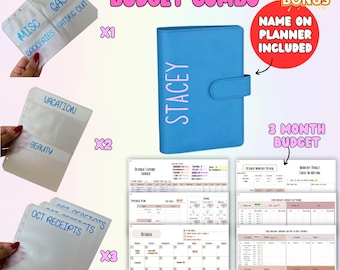
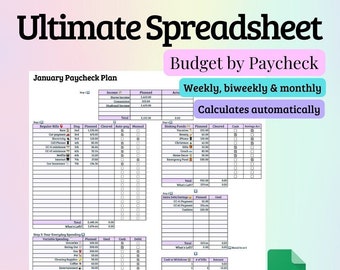
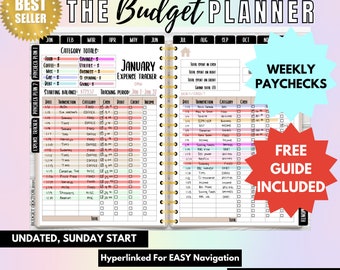
5 out of 5 starsI love this planner very much I’ve been looking for something like this for about a year. This fits my budget and lifestyle very well I highly recommend for people that loved to stay organized and precise. It is a little tricky at first but if you watch the video she has and look back to the tutorial pdf she gives you it will be easy and fun to budget!
-

Etsy buyer on Mar 25, 2026
5 out of 5 starsLove the colors of this! So easy to use and set up! Makes keeping track of your finances fun!! Definitely recommend!!
-
Char-Lee on Feb 24, 2026
5 out of 5 starsTruly made my day ! I give this product and seller a 10 out of 5 rating. Quality product and excellent customer service and response time. She went the extra mile to make sure I purchased the correct item. I reached out to her twice to enquire about what I was looking to buy and she responded very quickly and even provided the links to the actual products ensuring I purchased precisely what I was looking for. Highly recommend buying from her based on her customer service and quality products. So grateful and looking forward to using her products to get my finances in better order.
-
Amy on Feb 17, 2026
5 out of 5 starsreally like the budget plan. Its a lot of information. very nice though.
-


About BudgetDoctor
Sales
13,989
On Etsy since 2020
Production partners
-
Production Printing Company
Wilmington, DE
I design my products, and Printify helps bring my vision to life by fulfilling my orders.
Shop policies
Last updated on Jun 25, 2020
Shipping
See item details for estimated arrival times.
Customs and import taxes
For US deliveries, Etsy policy requires that import duties and fees are included in the checkout price. Non-US buyers may need to pay these fees upon delivery. You can message me to confirm how these fees will be paid for your order. I'm not responsible for any customs-related delays.
Digital downloads
Instant downloads
Your files will be available to download once payment is confirmed. Here's how.
Payment options
Secure options
Accepts Etsy Gift Cards and Etsy Credits
Etsy keeps your payment information secure. Etsy shops never receive your credit card information.
Returns & exchanges
See item details for return and exchange eligibility.
Cancellations
Cancellations: not accepted
Please contact the seller if you have any problems with your order.
More information
Last updated on
Dec 17, 2025
Frequently asked questions
How do I access my purchase?
You can access your purchase directly from your Etsy account. Hop on a web browser and login to your Etsy account. Make sure you’re not on the Etsy app, but in a browser like safari/chrome. The app is wonky. Once you’ve logged in, Click YOU on the top right hand corner, purchases and reviews, then click the download. Let me know once you find it!
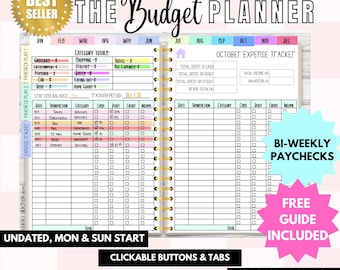
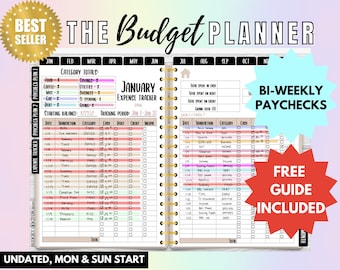
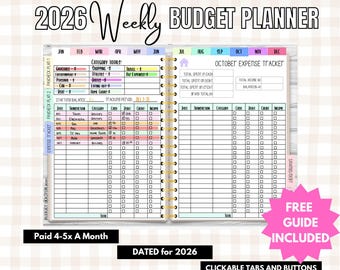
I can’t click the buttons/tabs inside the digital planner, help!
If you find that your hyperlinks aren’t working (buttons + tabs) you could be in the wrong mode within your markup app. Lemme explain. Most PDF markup apps have 2 modes:
READING ➡️ In reading mode, editing tools (adding images, text boxes, or handwritten notes) are hidden and the hyperlinks are active.
EDITING ➡️ In editing mode, you’re able to access editing tools to do things like add images, text boxes, and handwritten notes. The hyperlinks are not active when you are editing, meaning you can’t click the tabs and buttons in your planner to change pages.
If you’re using my favorite app, GoodNotes 5, all you have to do is tap the pencil icon in the top right corner of the screen to switch between reading and editing mode.
What app does the digital planner work with?
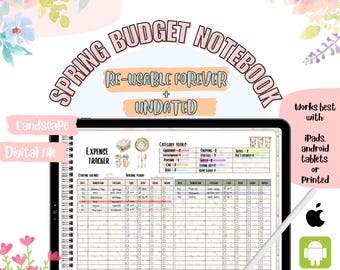
I personally use GoodNotes 5 on an iPad but you can use any app that allows you to annotate/markup PDFs.
Other popular options:
iPad Users: Zoom Notes, Notability, Note Writer
Android Users: Noteshelf, Xodo
Windows Surface Users: Drawboard Pro*
*The Pro version of Drawboard is required to duplicate pages
Can I use the digital planner on my phone?
Technically yes, if your app of choice is available as a phone or desktop app you can use your planner/journal on your phone or computer.
I personally view my digital planners from my phone sometimes, but I do not edit them from anywhere other than my iPad because it is a tedious experience. My products are created to be primarily edited on a tablet-like device.
Can I duplicate pages inside the planner?
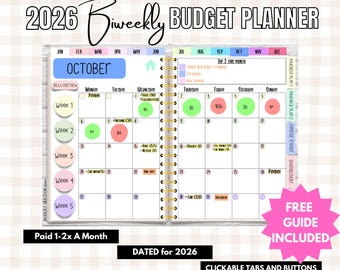
Absolutely, you can copy and paste and many sheets as you like right behind the others without messing up the tabs 😇.
For example, there’s only one expense tracker layout for every month but I copy and paste it so that I have 2!
Also, sometimes I get paid 3x/ month too, so I do the same thing, I copy and paste the pages I want.
What you would do is copy and paste the paycheck 2 page behind the page you want it to go. It adds the extra pages under the paycheck 2 tab. The guide included with your purchase shows you how to duplicate pages!
Do you have a tutorial on how to use the planner?
Yes! I have a tour of the entire budget planner here:
https://youtu.be/KXLoJReWguU?si=5XcOF7mlWstCiKAB
Looking for more? Find it on Etsy