









Thank you calmly for dropping by!
Featured items
All items
Announcement
Last updated on Jun 16, 2026
Reviews
4.9
(972)
Average item review
We calculate this number using a recency-weighted average of all ratings, with a rating's value decreasing by half each year to best reflect the current experience.
Loading
-

Etsy buyer on Oct 13, 2026
5 out of 5 starsItem came immediately & easy to use Would highly recommend Great & easy to use instructions
-
-
-

Brittany on Sep 16, 2026
5 out of 5 starsThis was perfect for the wedding shower.. fun game for all! Thank you!!
-
-
Heidi on Aug 2, 2026
5 out of 5 starsMy guest loved this, it was the best idea ever for the wedding. Easy to download
-
-
-
-
Ashley on Oct 11, 2026
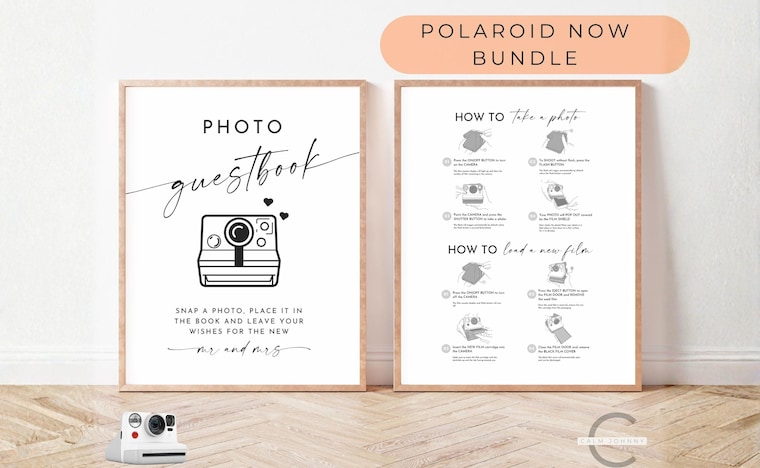
5 out of 5 starsThis came in clutch for my wedding, we printed it out and set it up at the guest table so our guests could reload the polaroids without worry. Thank you so much!!
About CalmJohnny
Sales
8,136
On Etsy since 2022
Shop members
-

John
Owner
Production partners
-
Production Partner
United States
Our production partner helps us fulfil orders daily and ship them out direct to the customer.
-
Production Partner
United States
Our production partner helps us fulfil orders daily and ship them out direct to the customer.
Shop policies
Last updated on Sep 29, 2025
Shipping
See item details for estimated arrival times.
Customs and import taxes
For US deliveries, Etsy policy requires that import duties and fees are included in the checkout price. Non-US buyers may need to pay these fees upon delivery. You can message me to confirm how these fees will be paid for your order. I'm not responsible for any customs-related delays.
Digital downloads
Instant downloads
Your files will be available to download once payment is confirmed. Here's how.
Payment options
Secure options
Accepts Etsy Gift Cards and Etsy Credits
Etsy keeps your payment information secure. Etsy shops never receive your credit card information.
Returns & exchanges
See item details for return and exchange eligibility.
Cancellations
Cancellations: not accepted
Please contact the seller if you have any problems with your order.
Privacy policy
More information
Last updated on
Dec 17, 2025
Frequently asked questions
HOW DO I SAVE THE TEMPLATE IN A PDF, JPG or PNG FORMAT?
Once you open up the template in Canva, click on "Share" (located in the top right-hand corner) then click "Download" then select the File Type you want from the drop-down menu then click "Download".
The template will automatically download onto your desktop, laptop and/or mobile device in the selected file type format. Print and/or send the file as many times as you wish.
File Type Option:
- PDF Print: Best for printing
- JPG: Best for sharing
- PNG: Best for complex images and illustrations
I HAVE CHANGED MY MIND AND WANT TO CANCEL MY ORDER, CAN I GET A REFUND?
Due to the nature of this product, as all files are digital, and no physical products are shipped, it is not possible to for any returns, exchanges or refunds. Please contact me before purchasing if you have any questions.
I CAN'T SEE THE TEMPLATES I HAVE PURCHASED. WHERE CAN I FIND THEM?
If you have purchased a bundle or set, the templates are sometimes bundled together in the same template. Just scroll down on the template page or click the little arrow (Show Pages) at the bottom of the screen in Canva.
HOW DO I UPLOAD MY OWN PICTURE/IMAGE AND REPLACE IT IN THE TEMPLATE?
Open up the template in Canva. On the left hand side menu, click on "Uploads" then "Uploads files", browse for your image on your computer and click "Open". Your image will upload and be ready to use. Now select your image and drag it on the template to replace the existing one.
HOW DO I DOWNLOAD MY ORDER / FILES?
Please follow these instructions on your DESKTOP or LAPTOP to download your files:
1. Sign in to your Etsy account and click on "Your account" located in the top right-hand corner.
2. Select Purchases
3. Find this order and select Download Files. This goes to the Downloads page for all the files attached to your order.
HOW DO I EDIT THE TEMPLATE IN CANVA?
The ability to customize your templates is included with your purchase. To get started, simply download and open the "Thank you for your purchase..." PDF file. Click on the template links inside which will direct you to the Canva platform where you can begin editing to your heart's content.
HOW DO I PRINT TWO GAMES ON ONE SHEET OF PAGE?
1. Duplicate the Page in Canva
- Open up the Canva template design
- At the top right-hand corner of the editor, click “Duplicate Page” icon so you now have two identical pages in your file
2. Download from Canva
- Click Share → Download
- Choose PDF Print (best for printing).
- Download the file (it will now be a 2-page PDF).
3. Open the PDF in Adobe Acrobat (or your PDF viewer)
- Right-click your file → Open With → Adobe Acrobat Reader (free version works fine)
4. Set Up Printing Two per Page
- Go to File → Print
- Under Page Sizing & Handling, select Multiple
- Choose 2 pages per sheet
5. Check the Print Preview
- Confirm two copies of your design appear side by side on one sheet
6. Print & Cut
- Print your sheet and cut
Looking for more? Find it on Etsy