
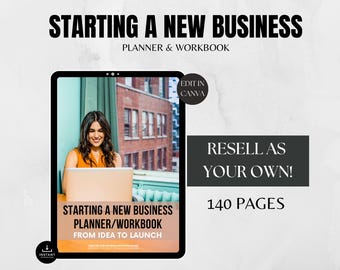
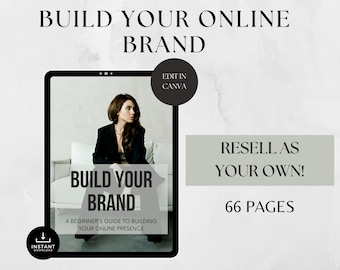




Helping busy professionals build digital income without the hype
Featured items
All items
Announcement
Last updated on Feb 7, 2026
Reviews
4.8
(551)
Average item review
We calculate this number using a recency-weighted average of all ratings, with a rating's value decreasing by half each year to best reflect the current experience.
Loading
-

Honey on Oct 1, 2026
5 out of 5 starsTemplate is easy to edit. You can completely make it your own. It's a bonus to be able to resell it.
-

-

JaQuana on Jul 6, 2026
5 out of 5 starsa lot of options available. allows you to edit templates to fit your aesthetic
-

-
-

-

Ash on Jul 29, 2026
4 out of 5 starsIt's okay. You get what you pay for. Speeds up the process for designing products.
-
Sarah on Jul 22, 2026
5 out of 5 starsI'm really happy with this digital product! It was very easy to use, well organised, and exactly as described. Everything was clear and straightforward, making the whole experience seamless from start to finish. The quality is excellent, and it provides great value for money. I would definitely recommend it to anyone looking for a professional, user-friendly digital resource. I'll happily purchase from this seller again.
-
-
Gabriela on Jul 6, 2026
4 out of 5 starsfxbhgjnxsxhaszgsrdfjnsfxjsd hbfdgn dzjg dgjnjdtgndc cn gdfjndf

Shop policies
Last updated on Nov 5, 2023
Digital downloads
Instant downloads
Your files will be available to download once payment is confirmed. Here's how.
Payment options
Secure options
Accepts Etsy Gift Cards and Etsy Credits
Etsy keeps your payment information secure. Etsy shops never receive your credit card information.
Returns & exchanges
See item details for return and exchange eligibility.
Cancellations
Cancellations: not accepted
Please contact the seller if you have any problems with your order.
More information
Last updated on
Dec 17, 2025
Frequently asked questions
How do I access my download?
1. Purchase the listing
2. Once payment is processed download the file under your purchases & reviews section in your Etsy account.
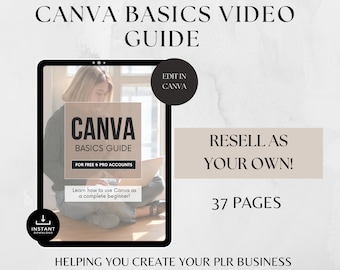
3. A PDF will show direct links to your digital product & bonus Canva Basis Guide.You can also view here for further assistance
https://help.etsy.com/hc/en-us/articles/115013328108-Downloading-a-Digital-Item?segment=shopping
PLEASE NOTE - You can't download a digital purchase through the Etsy app at this time. To download a digital file, please sign in to Etsy on your mobile browser or computer.
Do you need Canva to use templates?
Yes you will need a Canva account which is free and will not require Canva PRO.
How do I access the templates in Canva?
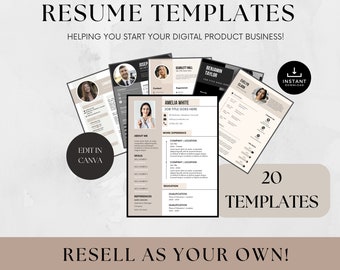
Once you have accessed your download from link in PDF it will bring you into Canva showing that I have shared access to the template and you can click on Edit Template to access the file and make your changes.
What can be edited?
-Text can be edited - font, font color, and size.
-Images - Upload and replace with your own images or use Canva's Free Photo Library
-Color - Background, text, and some element's color can be changed.
PLEASE SEE INCLUDED CANVA USER GUIDE FOR FULL TUTORIAL
Can I really start an online business with your PLR products?
Yes, absolutely! Our PLR products are designed to give you a head start in establishing your digital business. They're customizable, so you can tailor them to fit your niche and audience.
Do your digital products require technical skills to use?
No, they don't. We've crafted our products with ease of use in mind. Whether you're a tech newbie or a seasoned pro, you'll find our resources straightforward and user-friendly.
Are your PLR products suitable for my niche?
Yes, our range of PLR products spans various niches and industries. From digital marketing to personal development, we've got something that can cater to your specific needs.
How can I differentiate my products if I use PLR content?
Customization is key. We encourage you to add your own insights, branding, and unique spin to our PLR products. This way, you create something truly unique to your brand.
Can I preview a product before purchasing?
While we don't offer direct previews, we provide detailed descriptions and outlines for each product. This should give you a good idea of what to expect before making a purchase.
Is there a limit to how many times I can sell a PLR product?
No, there isn't. Once you purchase a PLR product from us, you have the license to sell it as many times as you like. The sky's the limit!
What if I need help or have questions about a product?
We're here to help! If you have any questions or need assistance, please don't hesitate to reach out. We pride ourselves on our supportive customer service.