
Featured items
All items
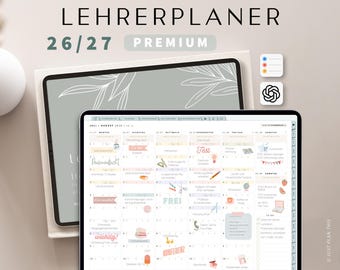
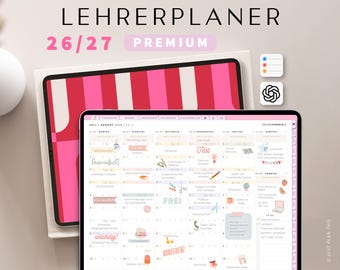
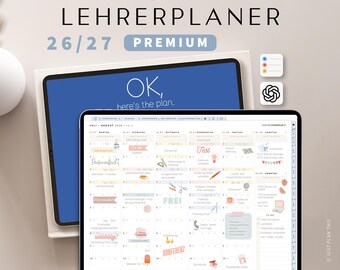
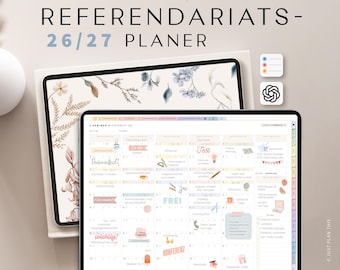


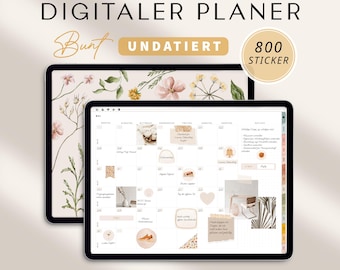
Announcement
Last updated on Nov 17, 2021

Reviews
4.8
(1646)
Average item review
We calculate this number using a recency-weighted average of all ratings, with a rating's value decreasing by half each year to best reflect the current experience.
Loading
-

Michelle on Sep 15, 2026
4 out of 5 starsIt's too cluttered for my taste, but otherwise everything is great.
-
Kristie on Jun 24, 2026
5 out of 5 starsEverything was great, trouble-free download, would gladly use again.
-
-
-

Anke on Oct 9, 2026
5 out of 5 starsBeautifully designed and very clear. Easy to use with great details.
-

Anke on Oct 9, 2026
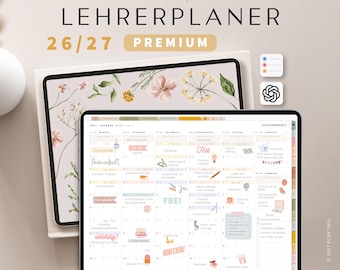
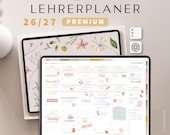
5 out of 5 starsGreat calendar that really makes a teacher's daily life easier.







Shop policies
Last updated on Dec 5, 2021
Digital downloads
Instant downloads
Your files will be available to download once payment is confirmed. Here's how.
Payment options
Secure options
Accepts Etsy Gift Cards and Etsy Credits
Etsy keeps your payment information secure. Etsy shops never receive your credit card information.
Returns & exchanges
See item details for return and exchange eligibility.
Cancellations
Cancellations: not accepted
Please contact the seller if you have any problems with your order.
More information
Last updated on
Oct 23, 2023
Frequently asked questions
GoodNotes: Die Hyperlinks funktionieren nicht
In den meisten Fällen tritt das Problem in GoodNotes auf, weil der falsche Stift-Modus aktiviert ist.
Bei Goodnotes 5: Oben rechts in der Menüleiste neben den drei Punkten, hast du die Möglichkeit, den Bearbeitungsmodus ein- oder auszuschalten. Um Hyperlinks ausführen zu können, darf der Stift nicht durchgestrichen sein.
Bei Goodnotes 6: Wenn der Stift weiß ist, dann bist du im Navigationsmodus und kannst klicken.
Was kann ich tun, wenn ich keinen Link erhalten habe?
Alle deine Bestellungen kannst du jederzeit in deinem Etsykonto herunterladen.
So rufst du deine digitalen Dateien von deinem Konto aus ab:
1) Logge dich bitte mit einem Browser auf Etsy.com mit der oben genannten Emailadresse ein und gehe zu DEIN KONTO.
❗(Die Etsy-App unterstütz leider den Download nicht)❗
2) Gehe zu EINKÄUFE UND BEWERTUNGEN
3) Wähle neben der Bestellung DATEIEN HERUNTERLADEN aus. Daraufhin wird die Downloads-Seite für alle Dateien geöffnet, die mit deiner Bestellung verknüpft sind. Dann kannst du dir den Planer herunterladen.
Solltest du Probleme haben dich in dein Konto einzuloggen, wende dich gerne bei uns.
Wie importiere ich den Planer und die Sticker in Goodnotes?
❗Öffne den Link mit der Google Chrome App, die zum Google Drive führt mit deinem IPad auf. Gehe die Dateien einzeln an, da es sich um verschiedene Dateitypen handelt.
So gehst du vor, um den Planer in Goodnotes zu importieren:
1) Gehe auf den Planer
2) Klicke oben rechts auf die drei Punkte und wähle „Öffnen mit“.
3) Wähle „in Goodnotes öffnen“ aus.
4) Wähle „Importiere als neues Dokument“.
(Genauso gehst du vor um das Goodnotes Stickerbook zu importieren.)
So importierst du Zip Dateien auf dein Ipad
1) Öffne die entsprechenden Dateien
2) Klicke oben rechts auf die drei Punkte und wähle „Öffnen mit“.
3) Wähle „In Dateien sichern aus“.
4) Gehe zu dem Ort, wo du die Datei gespeichert hast und tippe auf die ZipDatei um diese zu entpacken.
Kann ich den Planer auf meinen Android Tablet verwenden?
Die Nutzung des Planers auf einem Tablet ist grundsätzlich möglich, jedoch wird empfohlen, ein Samsung S8 oder ein neueres Modell zu verwenden. Ältere Geräte werden nicht empfohlen.
Zur Nutzung benötigst du eine Notizenapp. Wir empfehlen für Android Tablets Samsung Notes.