




Find Calm in Every Plan
Featured items
All items
Announcement
Last updated on Jan 3, 2026
Reviews
4.9
(417)
Average item review
We calculate this number using a recency-weighted average of all ratings, with a rating's value decreasing by half each year to best reflect the current experience.
Loading
-

Selena on Jun 12, 2026
5 out of 5 starsSo easy to use and very organized. Plus its very aesthetically pleasing 🌱
-

-
Rachel on May 16, 2026
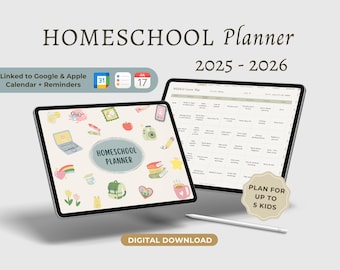
5 out of 5 starsLots of options for customizing the planner to fit the needs of the family
-
-
-

-

Misti on Feb 23, 2026
5 out of 5 starsWonderful planner with everything that I need to sort out some homeschooling projects. I've only just started using it, but so far it's been great. I love all the linked pages and that it's undated so I can use it year after year.
-
Theresa on Jan 21, 2026
5 out of 5 starsI really love this planner, as some one new to homeshooling, it has helped me so much!
-
-


Shop policies
Last updated on Mar 1, 2023
Digital downloads
Instant downloads
Your files will be available to download once payment is confirmed. Here's how.
Payment options
Secure options
Accepts Etsy Gift Cards and Etsy Credits
Etsy keeps your payment information secure. Etsy shops never receive your credit card information.
Returns & exchanges
See item details for return and exchange eligibility.
Cancellations
Cancellations: not accepted
Please contact the seller if you have any problems with your order.
Privacy policy
More information
Last updated on
Dec 17, 2025
Frequently asked questions
1. How do I download my file after purchase?
After purchasing, there are 3 ways to download your file:
1. From Your Etsy Account: Head to the "Purchases and Reviews" section of your Etsy account to download the file.
2. Via Email: You will receive an email from Etsy with a direct link to download your files.
3. Message Us: If you can’t locate your file using the 2 above methods, send us a message on Etsy, and we’ll provide the download link directly through Etsy messages.
IMPORTANT NOTES:
Files can only be downloaded via a computer or tablet, as the Etsy app on mobile phones doesn’t support digital file downloads. If you're using a phone, access Etsy through a web browser or use a computer/tablet to download your files.
2. Can these digital planners be used by itself?
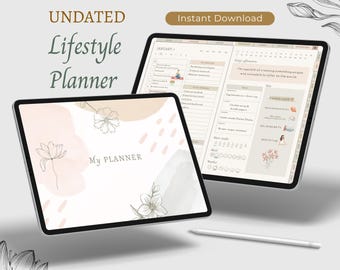
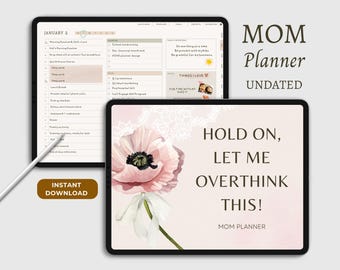
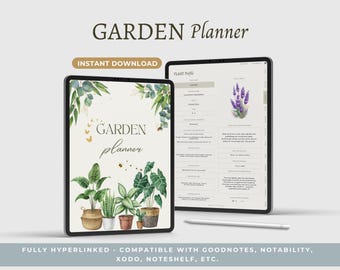
No, the planner cannot be used by itself. It is not a stand-alone planning app. Instead, it’s a digital PDF file that is designed to be used within a PDF annotation app such as GoodNotes, Notability, Noteshelf, or Xodo. These apps allow you to write, draw, and navigate through the planner, just like you would with a physical paper planner.
If you're new to digital planning and unsure how it works, feel free to reach out to us with any questions before purchasing!
3. What apps are these planners compatible with?
Our digital planners are compatible with various PDF annotation apps that allow you to write, draw, and interact with your planner on a tablet or computer.
• For Apple/Mac users: We recommend apps like GoodNotes, Noteshelf, Xodo, and Notability.
• For Windows/Android users: We suggest using Noteshelf or Xodo.
Please note that some of these apps may require a one-time purchase or a subscription plan. We encourage you to do your own research to find the app that best suits your needs, or feel free to reach out to us with any questions before making a purchase.
4. What devices are these planners compatible with?
Our digital planners are compatible with most devices that support PDF annotation apps. This includes iPads, Android Tablets, Windows Devices, Remarkable 2.
For the best experience, we recommend using these planners on a tablet with a stylus (like an iPad with an Apple Pencil) for a more intuitive and paper-like experience.
If you're unsure whether your device is compatible, feel free to contact us with any questions before purchasing!
5. Can I get a refund or exchange on digital products?
Due to the nature of digital products, we do not offer refunds or exchanges. However, please feel free to contact us if you have any issues with your file or download. We’re here to help and will do our best to resolve any problems.
If we are unable to resolve the issue or after troubleshooting you still find the planner does not work for you, we are happy to issue a full refund.
6. Can I print the digital planner?
While our digital planners are designed for use on tablets and other devices, you can print individual pages or the entire planner if you prefer a physical copy.
Keep in mind that some interactive features like hyperlinks won’t work in a printed version.
7. The hyperlinks don’t work on my GoodNotes app. What do I do?
If the hyperlinks aren’t working in your GoodNotes app, here are some steps to troubleshoot:
1. Check "Read-Only" mode: Hyperlinks usually only work in this mode. Tap the Pen icon on the top to switch from "Edit" to "Read-Only" mode.
2. GoodNotes 6: In the latest version, hyperlinks can work in "Edit" mode. Use your fingers (not the stylus) to tap the links while editing.
3. Proper Import: Ensure the planner is fully imported into GoodNotes.
4. Update/Reinstall: Update or reinstall GoodNotes if issues persist.
If the problem continues, feel free to contact us for further assistance!
8. What if the file doesn’t download properly?
If you experience any issues downloading your files, try the following:
• Clear your browser’s cache or use a different browser.
• Ensure you are connected to a stable internet connection.
• If the problem persists, contact us on Etsy, and we will make sure you receive your file as soon as possible.
9. Can I customize these digital planners?
Our planners are semi-customizable, meaning you can add notes, stickers, and other elements using your note-taking app. You can also add pages, duplicate and move pages around. However, the structure of the planner itself (including tabs and tab titles) and the core design cannot be altered. Please contact us if you have further questions on changing the planner.
10. Are there any video tutorials for your products?
We currently don’t have any video tutorials available. However, we’re just a message away if you need any help or have questions about using our products! We pride ourselves on responding quickly, and you can expect a reply in less than 24 hours.
Looking for more? Find it on Etsy