

Featured items
All items
Announcement

Reviews
-

-
-

Gina on Jul 20, 2026
5 out of 5 starsMaddone! This seller is fantastico! She went above and beyond the call of duty to make sure my purchase was perfect! Not only that, but she took the time out of her day to educate me on the different formats the digital downloads came in, not only from her, but other sellers. Grazie! Grazie mille!
-
Diana on Jun 15, 2026
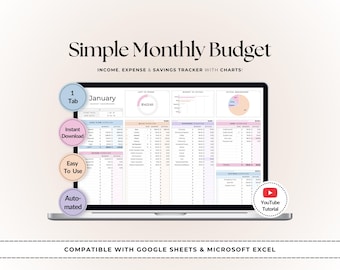
5 out of 5 starsGreat design and it really helps keeping expenses under control.
-
-
Mercedes on May 12, 2026
5 out of 5 starsThis is so helpful, I feel like I am able to keep track of everything now!
-

judsonkr on May 3, 2026
5 out of 5 starsSpectacular product. Toni is a Master at crafting useful Excel Workbooks. She listened to me when I asked for a few changes to meet my specific needs deftly applied those changes. I will be buying a few more of these for sure.
-
Katie on Sep 14, 2026
4 out of 5 starsThe spreadsheet was okay, I did make a few changes for what I wanted it to do. But it was a good starting point
-

-
Marissa on Aug 18, 2026
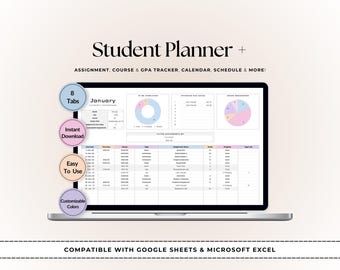
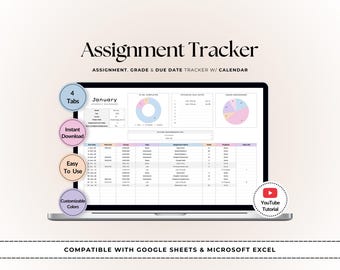
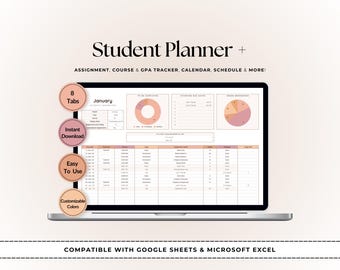
5 out of 5 starsThe student planner + was exactly what I needed to organize my college classes & keep track of my GPA, course plans, etc.. all in one place. The style is super chic & I’m loving it.




About TopSheets
Shop policies
Accepted payment methods
Returns & exchanges
More information
Frequently asked questions
I can’t access my spreadsheet or it opens in View Only mode. What should I do?
For Google Sheets: The link in your PDF opens a preview. Click “Use Template” in the top-right corner to create your own editable copy. If that doesn’t appear:
◦ Click File > Make a copy
◦ Make sure you're signed into a Google account
◦ Open the file first from a computer instead of a phone
◦ Try Chrome or clear your browser cache
◦ Ensure your Google Drive has space
For Excel: The link may open in your browser. From there:
◦ Click File > Save As > Save a Copy Online (for Excel Web)
◦ Or click File > Download a Copy to save it to your computer
◦ Open in Excel and click “Enable Editing” if prompted
Still stuck? Message me on Etsy and I’ll help you get set up.
Where are my files? I can’t find or download my purchase.
You can download your files anytime at this link:
https://www.etsy.com/your/purchases
Important: Etsy doesn’t support digital downloads through the app.
To download on your phone or tablet, copy that link into your browser (like Safari or Chrome).
If you checked out as a guest, Etsy will email you the download link at the address you used during checkout.
Need help? Just send me a message and I’ll get your files to you.
My download only shows a PDF — where are the actual templates?
Great question! The PDF file included with your purchase contains the links to access your template(s) in Google Sheets and/or Excel format.
Just open the PDF and click the link — it will take you directly to the template file. Follow the instructions included to make your own copy (or download for Excel).
Can I use the spreadsheet in Excel instead of Google Sheets?
Yes! Many of my templates now include both a Google Sheets and an Excel version in the same listing. Both files are provided through the download PDF.
However, please note that some products have separate listings for each format. This is because Google Sheets and Excel use different formulas and structure, so the files are designed separately to work properly in each platform.
If you purchased a Google Sheets version, it won’t function correctly in Excel — and vice versa.
If you ordered the wrong format, feel free to message me. If the version you need is available as a separate listing in the shop, I’ll be happy to point you in the right direction or help you get what you need.
Can I customize the templates?
Absolutely! All my templates are editable, and you can change colors, text, fonts, and layout to fit your needs.
To keep everything running smoothly, formulas are marked with a warning if you try to edit something critical. But the files are not locked, so you’re free to customize as you like.
Do you accept returns or exchanges?
Due to the digital nature of my products, I can’t offer returns or refunds once files have been downloaded.
If you made a purchase by mistake, please don’t download the files — I may be able to cancel the order if nothing has been accessed yet. Just reach out through Etsy messaging and I’ll be happy to check.
Looking for more? Find it on Etsy