



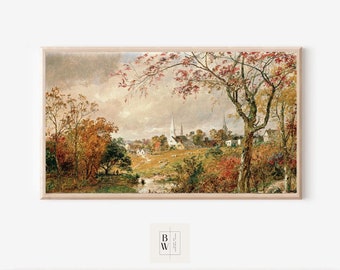
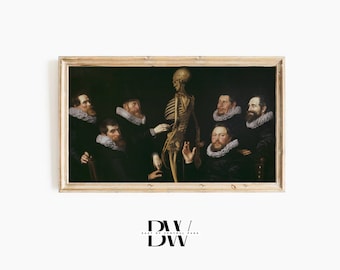






𝑻𝑯𝑨𝑵𝑲 𝒀𝑶𝑼 𝑭𝑶𝑹 𝑺𝑼𝑷𝑷𝑶𝑹𝑻𝑰𝑵𝑮 𝑺𝑴𝑨𝑳𝑳 𝑩𝑼𝑺𝑰𝑵𝑬𝑺𝑺!
Featured items
All items
Announcement
Last updated on Apr 25, 2025
Reviews
5.0
(1160)
Average item review
We calculate this number using a recency-weighted average of all ratings, with a rating's value decreasing by half each year to best reflect the current experience.
Loading
-

-

-

-
-
-
-

-
April on Mar 7, 2026
5 out of 5 starsWas perfect for the teddy themed baby shower, and the fireplace looked so cute with all of the gifts in front of it and on the mantel.
-
-

About EastofCentralPark
Sales
9,545
On Etsy since 2019

Shop policies
Last updated on Jun 10, 2019
Digital downloads
Instant downloads
Your files will be available to download once payment is confirmed. Here's how.
Made-to-order downloads
I’ll create your items after purchase and you’ll receive an email when the files are ready to download. The time I need to complete these items can vary. Contact me if you have questions.
Payment options
Secure options
Accepts Etsy Gift Cards and Etsy Credits
Etsy keeps your payment information secure. Etsy shops never receive your credit card information.
Returns & exchanges
See item details for return and exchange eligibility.
Cancellations
Cancellations: not accepted
Please contact the seller if you have any problems with your order.
More information
Last updated on
Dec 17, 2025
Frequently asked questions
How do I download my ordered piece?
𝐃𝐎𝐖𝐍𝐋𝐎𝐀𝐃 𝐈𝐍𝐅𝐎𝐑𝐌𝐀𝐓𝐈𝐎𝐍
✨𝑾𝑬𝑩 𝑩𝑹𝑶𝑾𝑺𝑬𝑹 (not the Etsy app)
1. Open Safari on your iPhone and go to etsy.com.
2. Select the little person in the top right corner and login.
3. Select the little person in the top right again.
4. Select Purchases and Reviews.
5. There should be a large black "Download" button to the right of your Smart TV art purchase.
6. Download + enjoy :)
If these steps don't work, please let us know and we'll be happy to help further!♥️
🌸𝐏𝐋𝐄𝐀𝐒𝐄 𝐍𝐎𝐓𝐄🌸 At this time, the Etsy App does not have a digital download feature. Please follow instructions above.
How do I upload my Frame TV Art to the TV?
𝑼𝑷𝑳𝑶𝑨𝑫 𝑮𝑼𝑰𝑫𝑬:
1. Create a new album in your camera roll - name it something like "Frame TV".
2. Download and open Samsung’s free SmartThings app.
3. Connect and select your Samsung TV device.
4. Connect Frame TV to the same WiFi network as your phone.
5. Select "Art mode" within the app.
6. Select "Add Your Photos".
7. Find your new Frame TV album.
8. Select the photo you'd like to display.
9. Select the “No Mat” option if you do not wish to have a white frame.
10. Click “Set On Frame”.
11. Enjoy your East of Central Park artwork!🎉 ✨
For more help: Copy and paste the following link to a web browser: https://bit.ly/3xE86VC
Looking for more? Find it on Etsy